Overview
Updated 08/06/2021
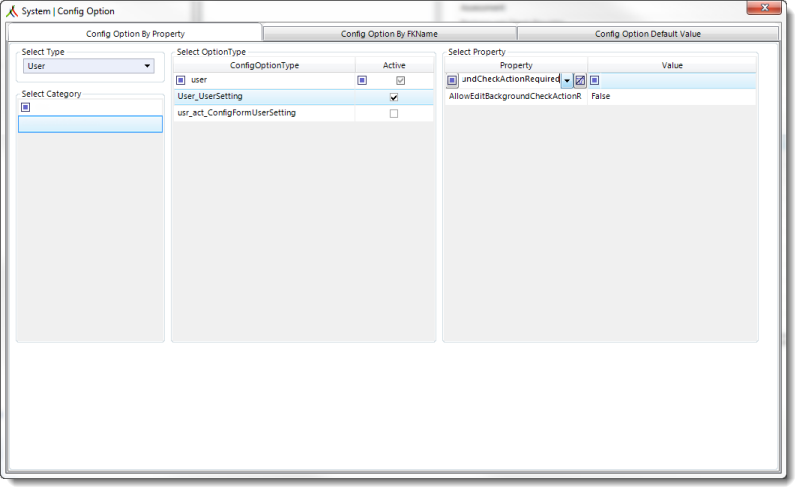
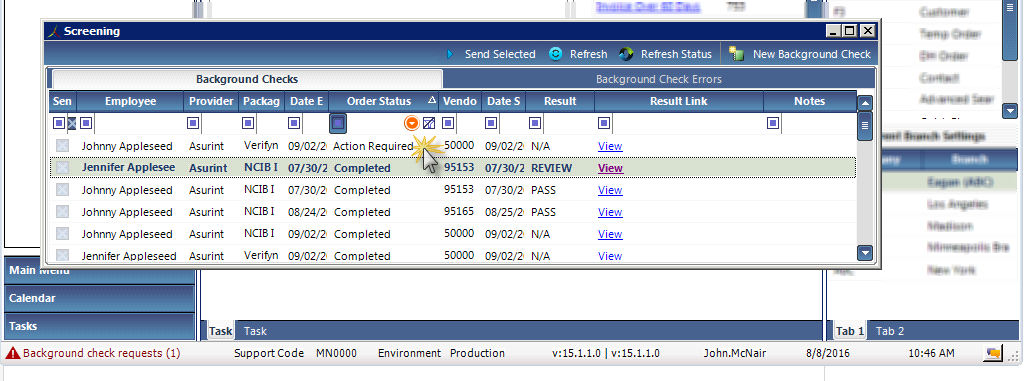
AllowEditBackgroundCheckActionRequired is a Config Option property that determines whether a user has permission to change the status of a background check from Action Required to Completed. Making this status change will decrease the number in the red notification at the bottom left of the core application window.
AllowEditBackgroundCheckActionRequired properties
| Admin Tools location: | Config Choice > User > User_UserSetting |
| Default | False |
| Valid values: | True: User can change a background check's status from Action Required to Completed. |
| False: User cannot change a background check's status from Action Required. | |
| Where the setting is reflected... | Background Checks |
When AllowEditBackgroundCheckActionRequired is set to True, clicking Action Required will change the background check's status to Completed.
Comments
0 commentsPlease sign in to leave a comment.