Overview
Updated 05/06/2021
The Update Counter Actions menu option allows you to update the counters in the Counters group on the Start Page.
There are 2 ways to update the Counters
Actions Menu
- Click the 'Actions' dropdown
- Click 'Update Counters'
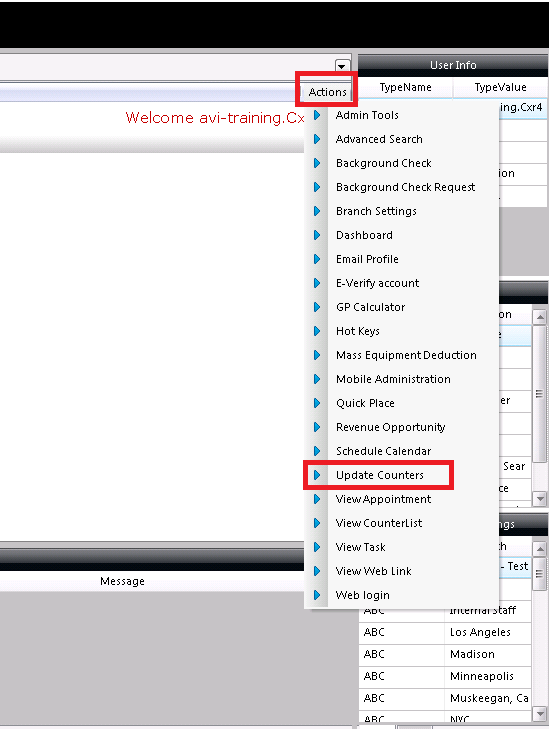
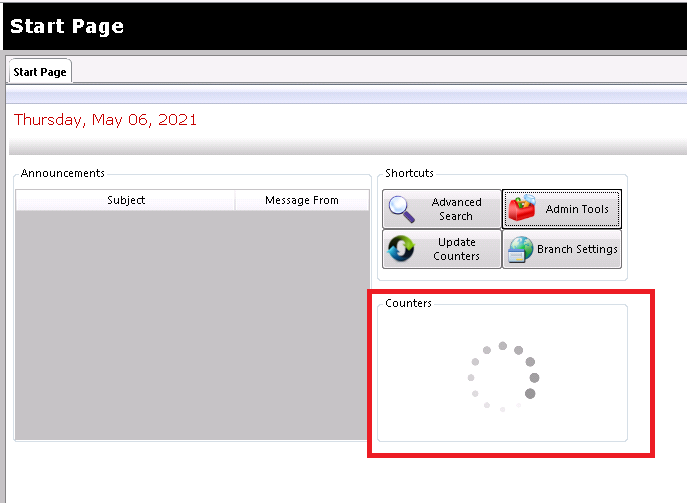
- Notice the Counters will disappear for a couple seconds while it updates
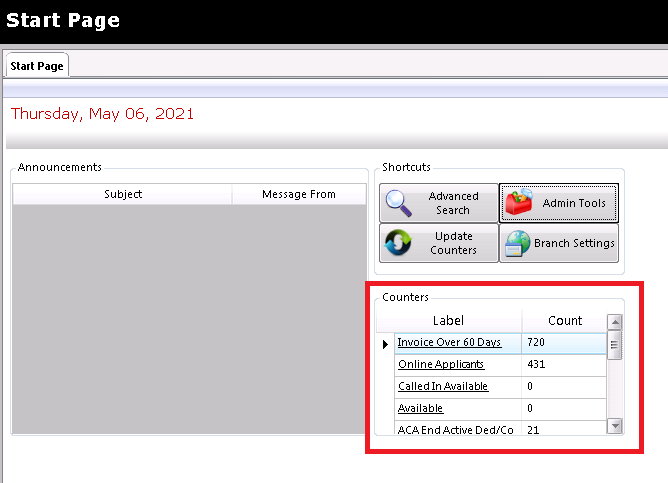
- Now the Counters are updated
- Notice the Counters will disappear for a couple seconds while it updates
Start Page
- Click 'Update Counters'
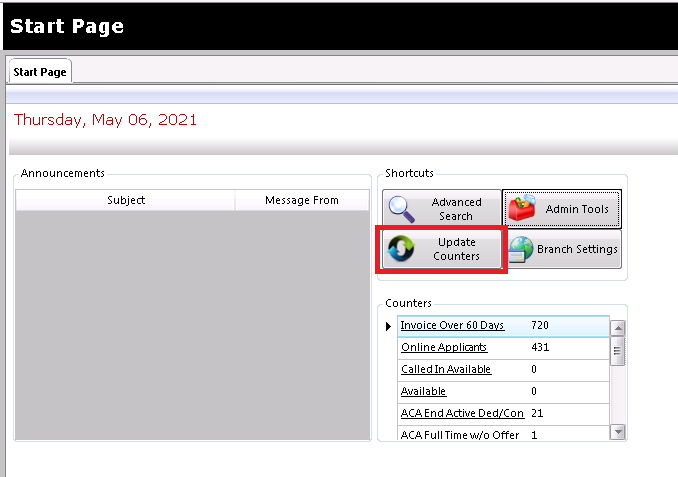
- Notice the Counters will disappear for a couple seconds while it updates
- Now the Counters are updated
- Notice the Counters will disappear for a couple seconds while it updates
Comments
0 commentsPlease sign in to leave a comment.