Overview
Updated 07/07/2021
The Summary item of the Contact section displays basic information regarding the contact as well as the shortcuts for navigating the section.
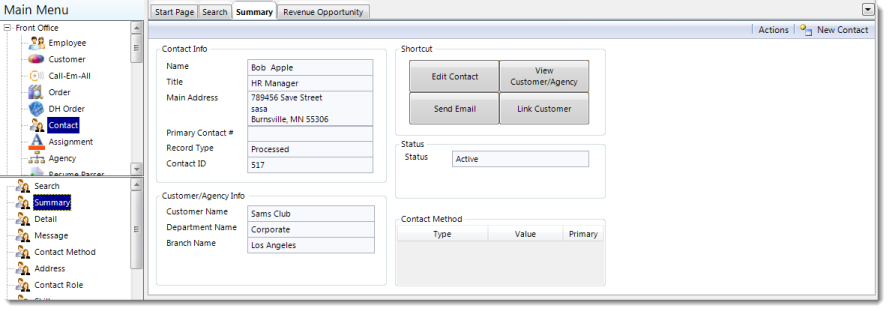
Contact Info
| Field | Description |
| Name | Name of the contact. |
| Title | Title of the position held by the contact. |
| Main Address | The primary address for the contact. |
| Record Type | Indicates the type of record attached to the client. |
| Contact ID | Identification number for the contact. |
Customer/Agency Info
| Field | Description |
| Customer Name | Name of the customer to whom the contact is associated. |
| Department Name | Name of the specific customer department to which the contact is associated. |
| Branch Name | Name of the specific branch to which the contact is associated. |
Shortcut
Each shortcut is customizable by right-clicking on a button then selecting an option from the pop-up menu. This menu has the same options as the Actions menu.
Status
An indicator of the contact's current status - active, inactive, etc.
Comments
0 commentsPlease sign in to leave a comment.