Overview
Updated 06/25/2021
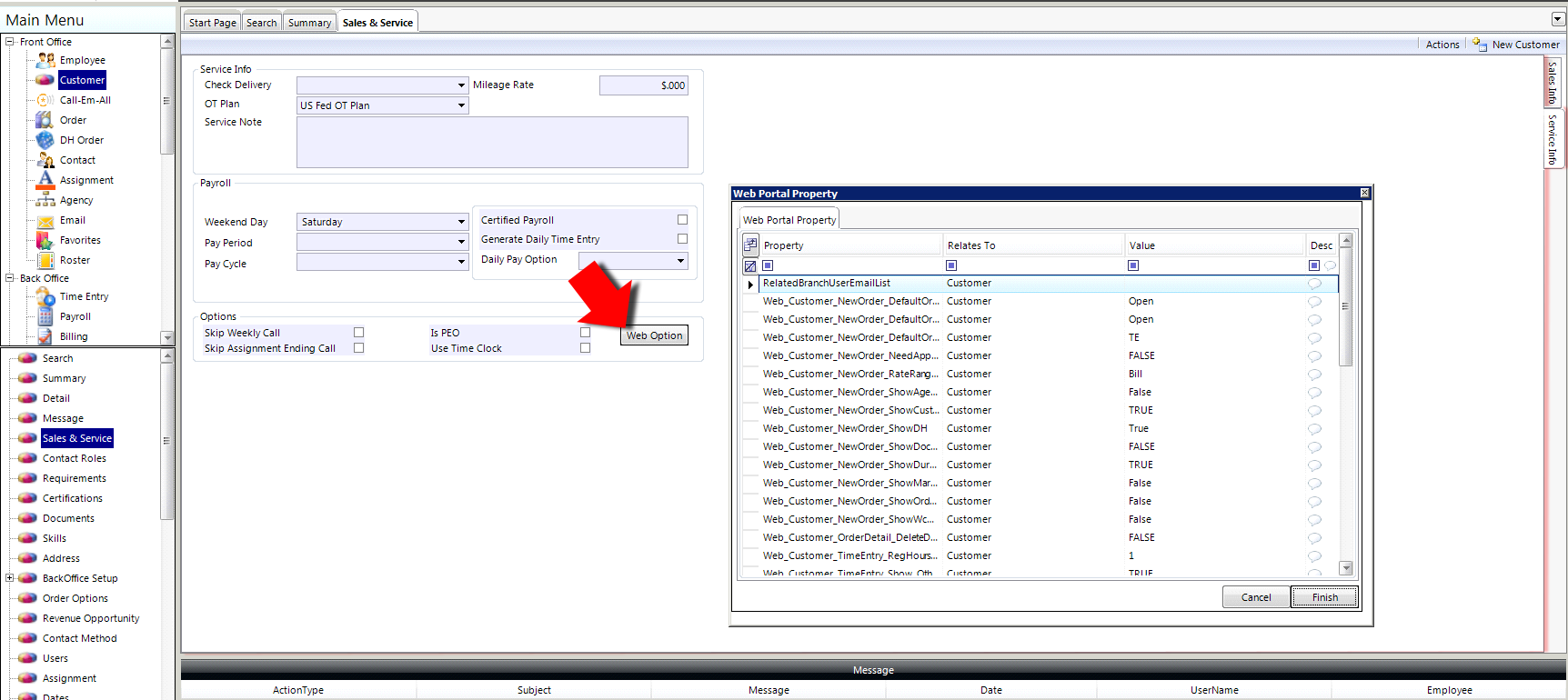
The Web Portal Property Web_Customer_TimeEntry_RegHours_ShowType allows a user to set what values will be displayed and available for entry on the Time Entry portal. The options available are: Total Hours (No In/Out entry); Start Time, End Time, and Total Break hours; and Start Time, End Time, Break in, and Break out.
| Web_Customer_TimeEntry_RegHours_ShowType | |
|---|---|
| Property location: | Core application > Customer section > select a customer > Sales & Service > Service Info tab on the right of the page > Web Option button |
| Default: | 0 |
| Valid values: | 0: Allows user to enter the total hours per day (no in/out). |
| 1: Allows user to enter start time, end time and the total break hours. | |
| 2: Allows user to enter start time, end time, break in and break out. | |
| Where the setting is reflected... | Time Entry Portal |
Comments
0 commentsPlease sign in to leave a comment.