Overview
Updated 07/07/2021
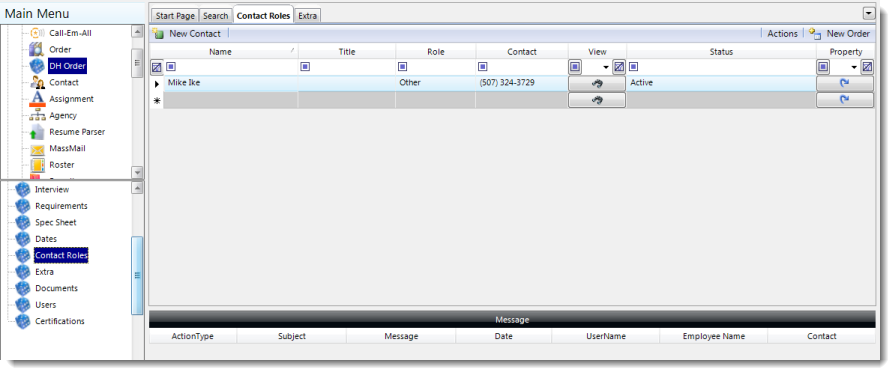
The Contact Roles item in the DH Order section contains all of the contacts linked to either the order, customer or candidates for a DH Order.
| Field | Description |
| Name | Name of the contact. |
| Title | Name of the position held by the contact. |
| Role | The role that this contact has for this order. 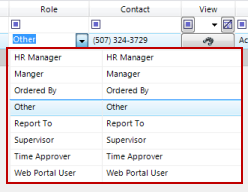 |
| Contact | Displays the contact method value (i.e. phone number, email address, etc.) |
| View | Provides a jump button to view the summary item of the contacts page. |
| Status | Indicates the contacts status (i.e. active, inactive, etc.) |
| Property | View and set the portal properties for a contact. |

Comments
0 commentsPlease sign in to leave a comment.